
Calendar and news
JeanScreen can show today’s events from a calendar and, if you like, a news line. Both come from internet addresses you paste in, so they need the home Wi-Fi.
Connect a calendar
Section titled “Connect a calendar”Google Calendar
Section titled “Google Calendar”- On a computer, open Google Calendar.
- Beside the calendar you want, choose ⋮ → Settings and sharing.
- Scroll to Integrate calendar.
- Copy the Secret address in iCal format.
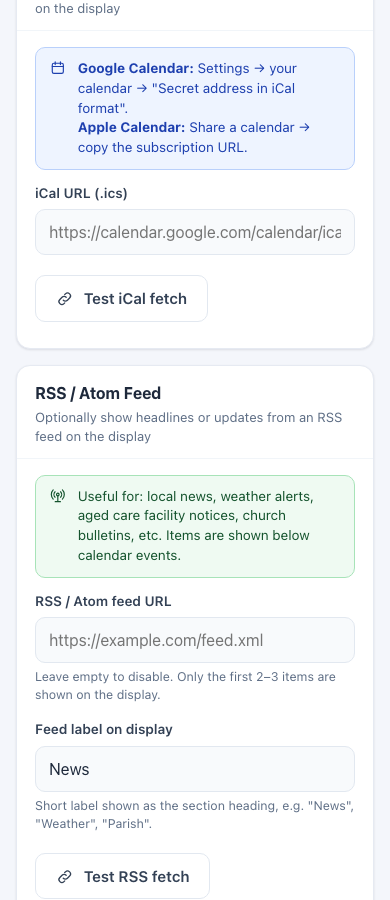
- In the JeanScreen setup screens, open Calendar & Feeds and paste it into iCal URL (.ics).
- Press Test iCal fetch, then Save.
Apple Calendar
Section titled “Apple Calendar”Share the calendar and copy its subscription address (an .ics link), then paste it in the same box.
Consider making a separate calendar just for the screen, called “Mum’s day”, so private appointments do not appear on a screen in the living room.
What appears
Section titled “What appears”- Under Today: in the left column, up to two events. If there are more, only the first two fit. The weekly dosette reminder, if on, takes the first place on its day.
- The calendar refreshes about every 4 hours, and straight away when you save a new address and at the daily reset. If a refresh fails, the screen keeps what it had and tries again in 15 minutes.
News line (optional)
Section titled “News line (optional)”Paste an RSS or Atom address into RSS / Atom feed URL and give it a short label such as “News” or “Parish”. The screen shows one headline in the form “News: headline…” under the events, using whatever room is left. Press Test RSS fetch to check it. Leave it empty to switch it off.
Safety of these addresses
Section titled “Safety of these addresses”The addresses are fetched by the JeanScreen server, which only accepts public web addresses (http or https) and refuses anything pointing at private networks. If an address is refused, check you copied the whole link.