
For families caring for a parent at home
A calm daily screen for someone you look after.
Big, clear writing on a paper-like screen. Today's tasks, one press each to tick off. And you stay in touch from your phone.
Not on sale yet. Join the list and we will tell you when it is ready.
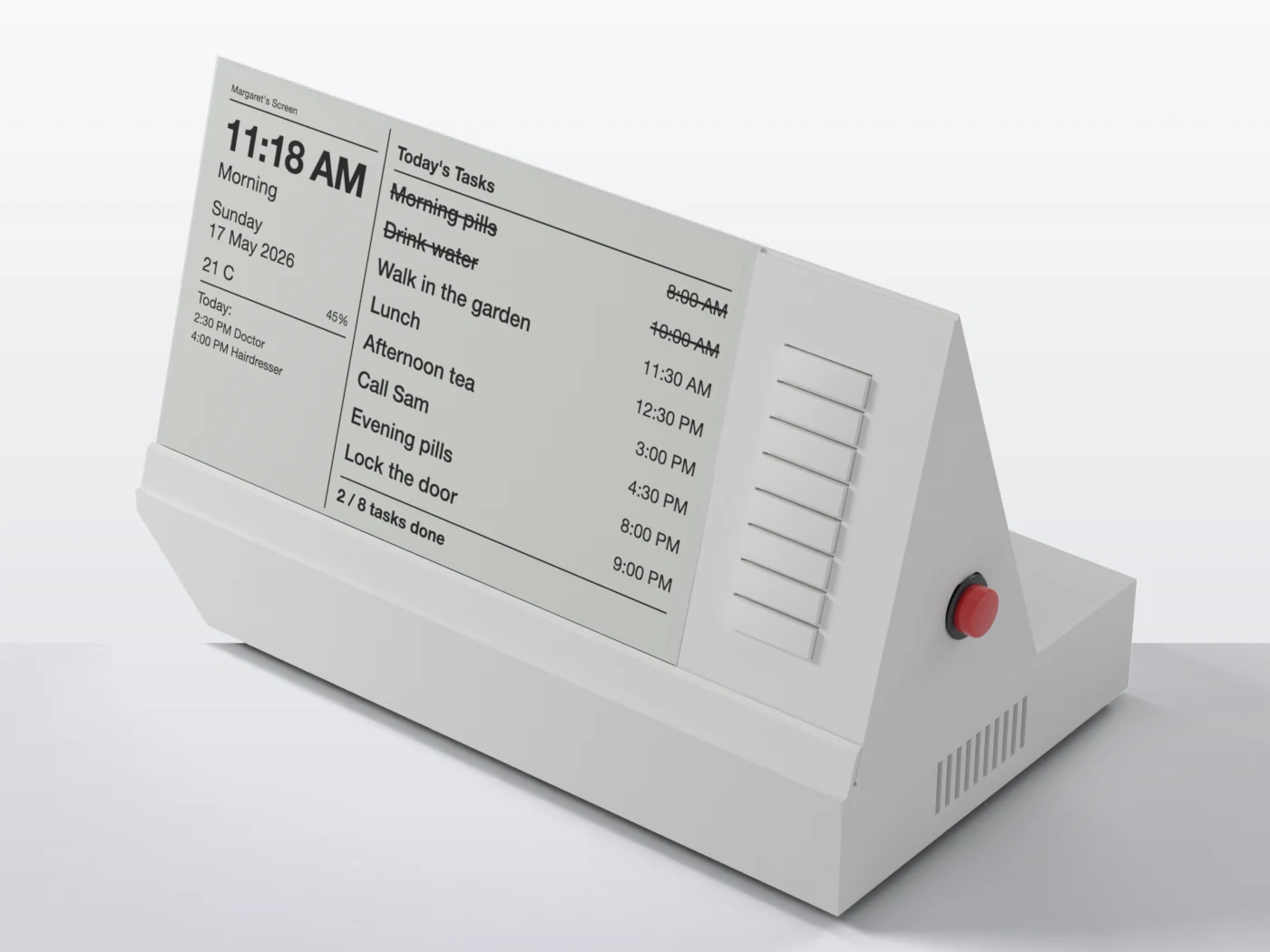
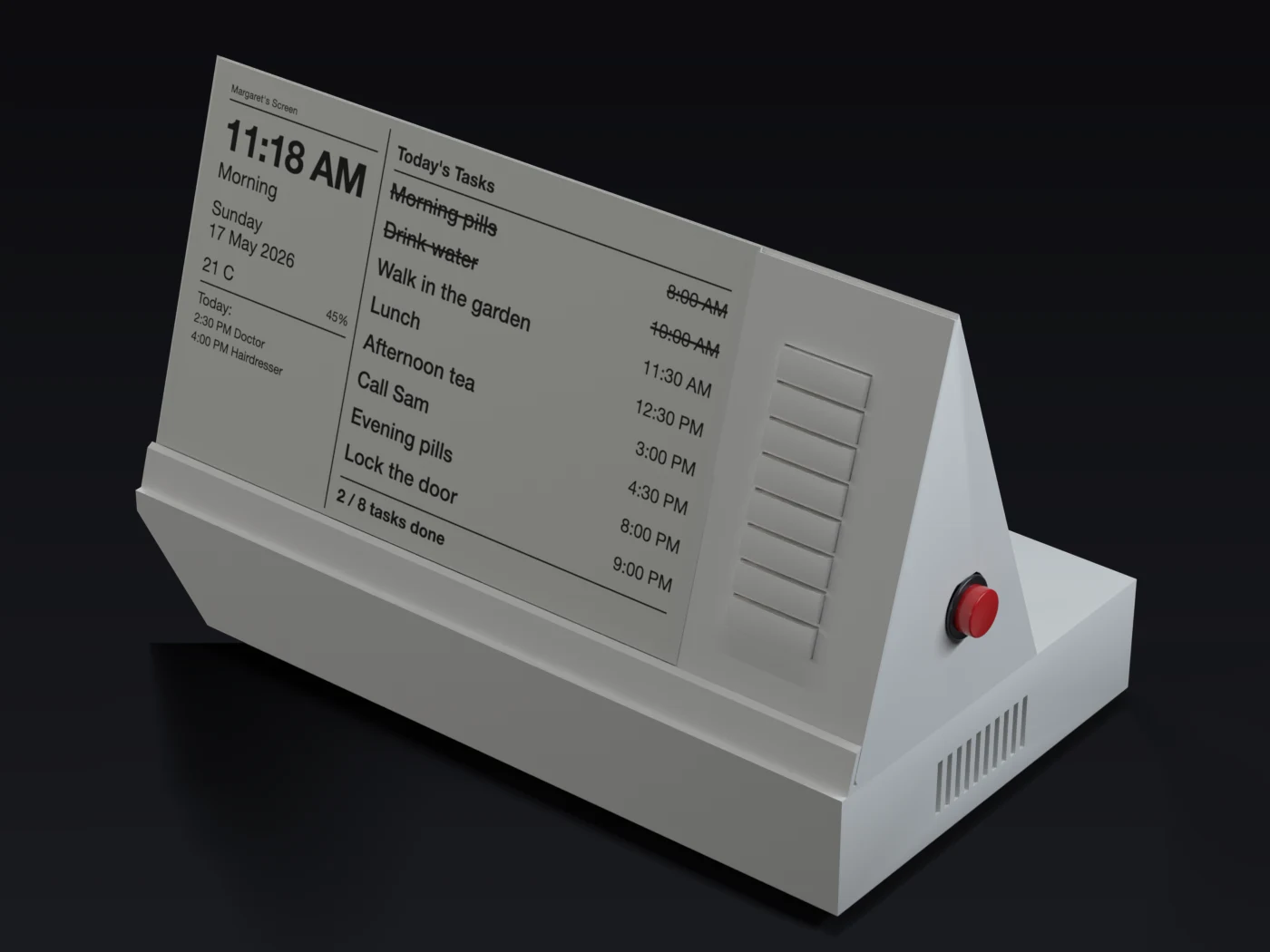
Made to be easy for them, and a relief for you
Readable like paper
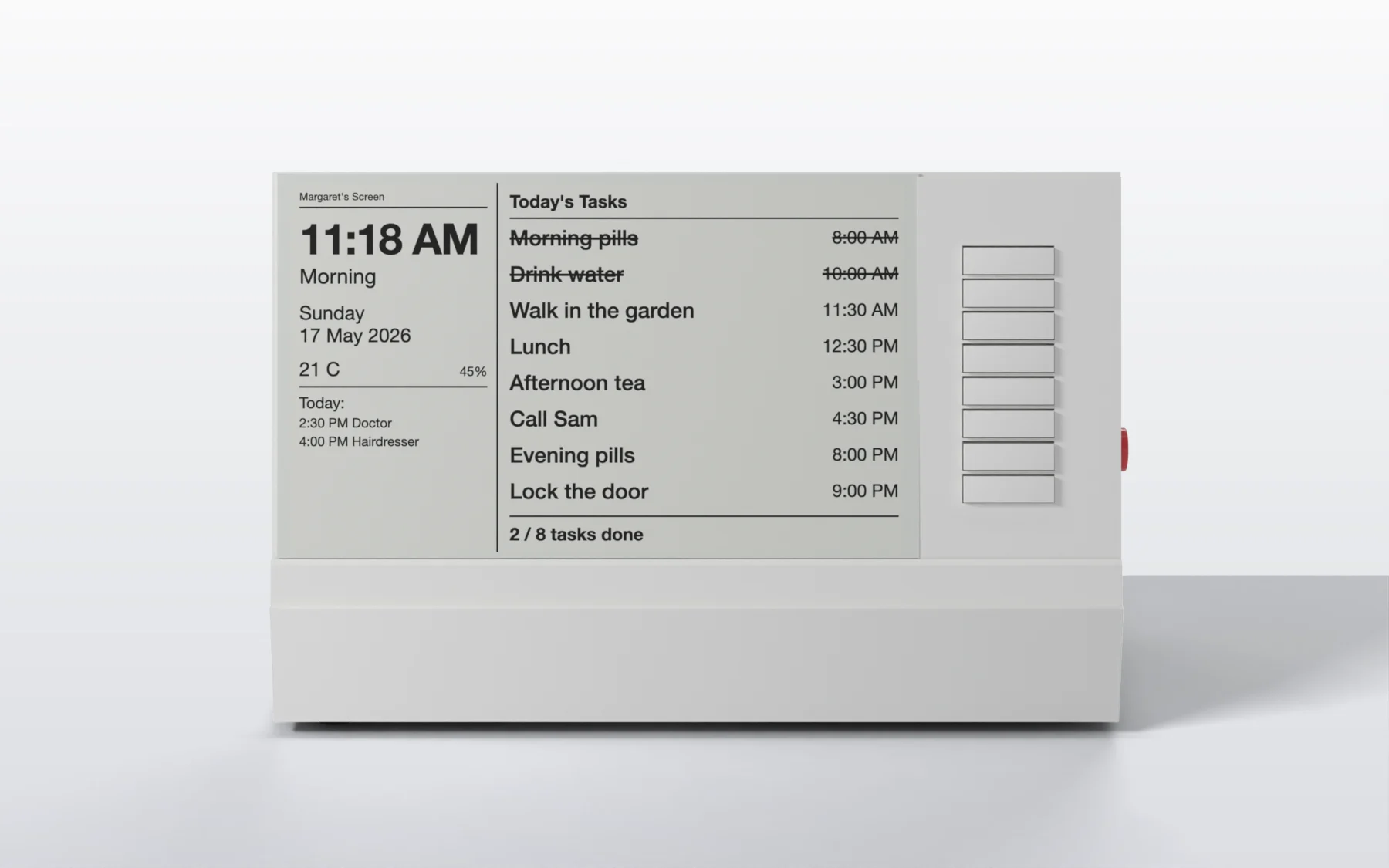
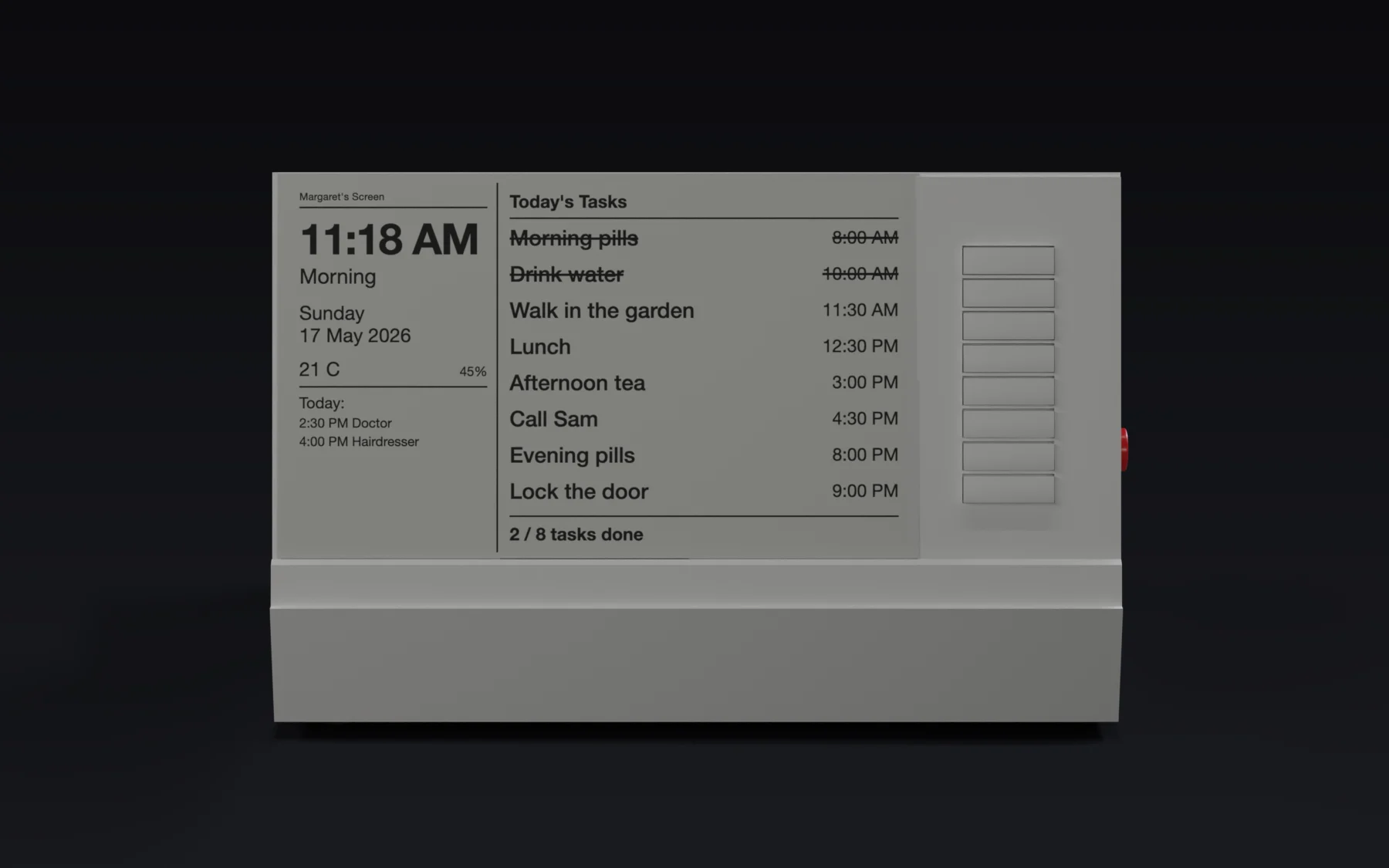
A 7.5 inch e-paper screen with very large text. No glare, no backlight, no menus. It simply shows the time, the date and today's tasks.
One press to tick
Up to eight tasks, each with its own big paddle button beside it. Press once to tick it off with a soft chime, press again to undo.
You stay in the loop
Change tasks and reminders from your phone, send a short message that appears on the screen, and get a daily report and alerts.
Reminders that speak
A reminder can be spoken aloud in a voice and language you choose, and the device can call if a task is missed.
Setting it up takes about ten minutes
The screen walks you through it, with QR codes you scan with your phone.
Plug it in
The screen shows three short setup screens, one at a time.
Join its Wi-Fi
Scan the QR code with your phone camera. Then open the setup page and choose your own password.
Connect your home Wi-Fi
Pick your network from the list. The clock sets itself from your phone.
Add the tasks
Name the tasks, choose reminder times, add the family contacts. Done.
What is on the screen
- The time, written out in words if you like ("Quarter Past Eleven") or as digits
- Today's date, with the day of the week
- Room temperature and humidity
- Today's events from a family calendar, and an optional news line
- Up to eight tasks with their reminder times, struck through when done
- Messages from family, shown for about 30 seconds with a soft chime
The carer portal: your side of JeanScreen
A simple website that works like an app on your phone. Add it to your Home Screen and you can:
- Change tasks, reminder times, voices and contacts from anywhere
- Send a message to the screen
- Get an alert on your phone when the Call Carer button is pressed, a task is missed, or the device goes offline
- Get a short daily report
- Look after more than one device on one account
Remote access and alerts are part of the Cloud plan. The Local-only plan has a setup page on the device's own Wi-Fi.
Alerts you can switch on, one by one
- Call Carer alerts: the moment the button is pressed
- Daily report: how many tasks were done
- Missed tasks: when a task you chose to watch is not done in time
- Other alerts: device offline, room too hot or cold, wellbeing check
Look closer
Eight paddles, one beside each task. Press to tick, press again to undo. The red button on the side is kept apart so it is not hit by accident.
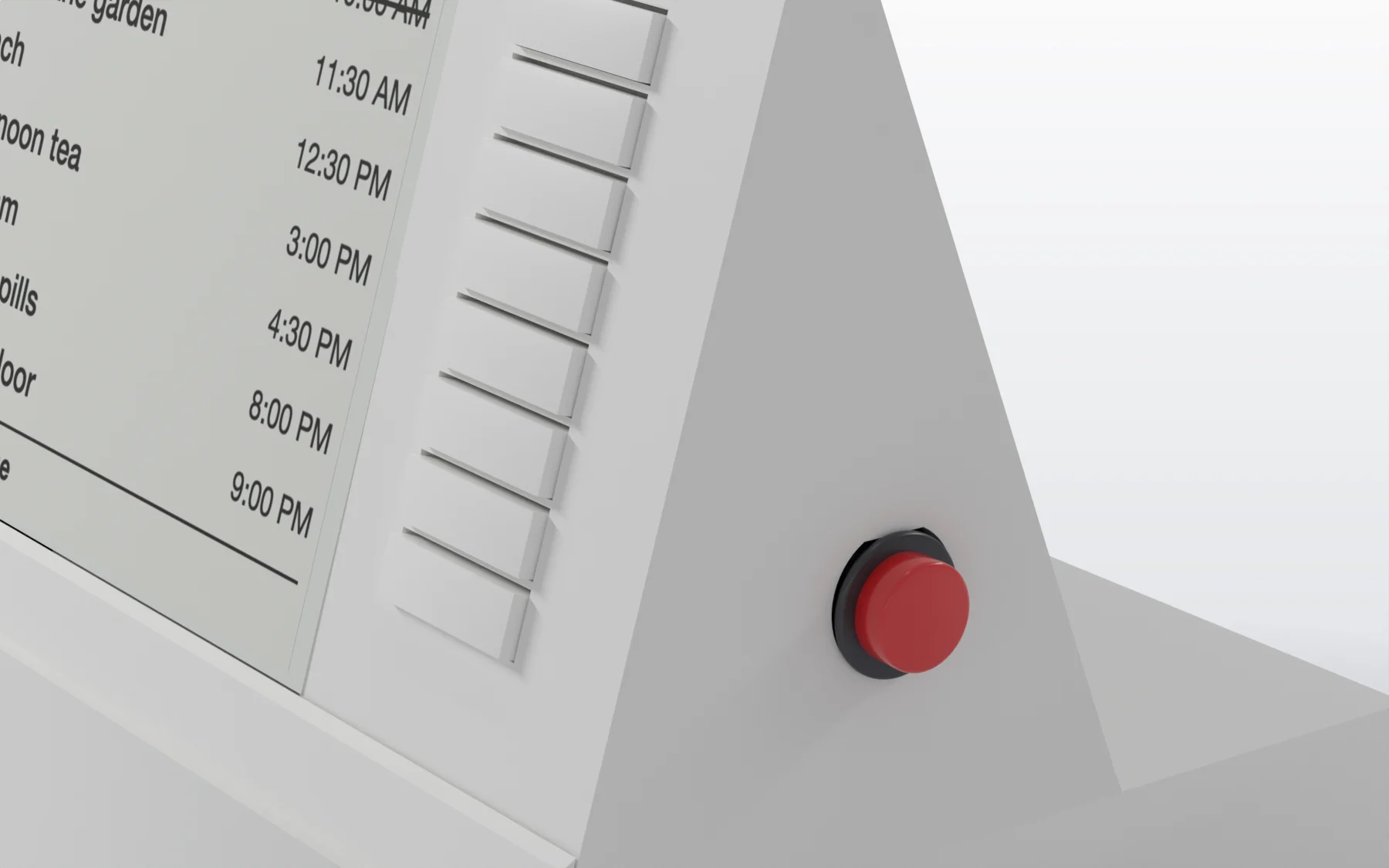
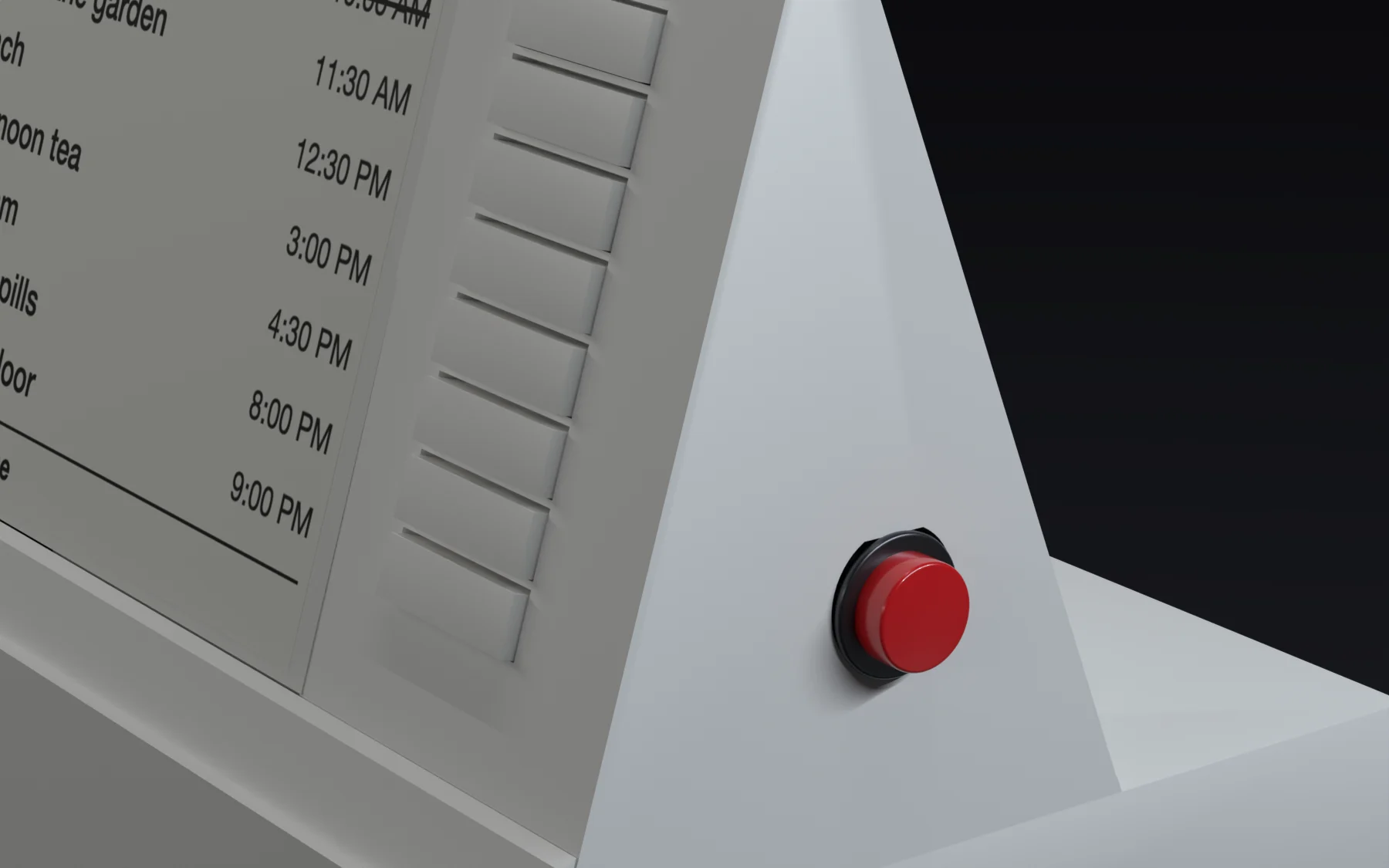
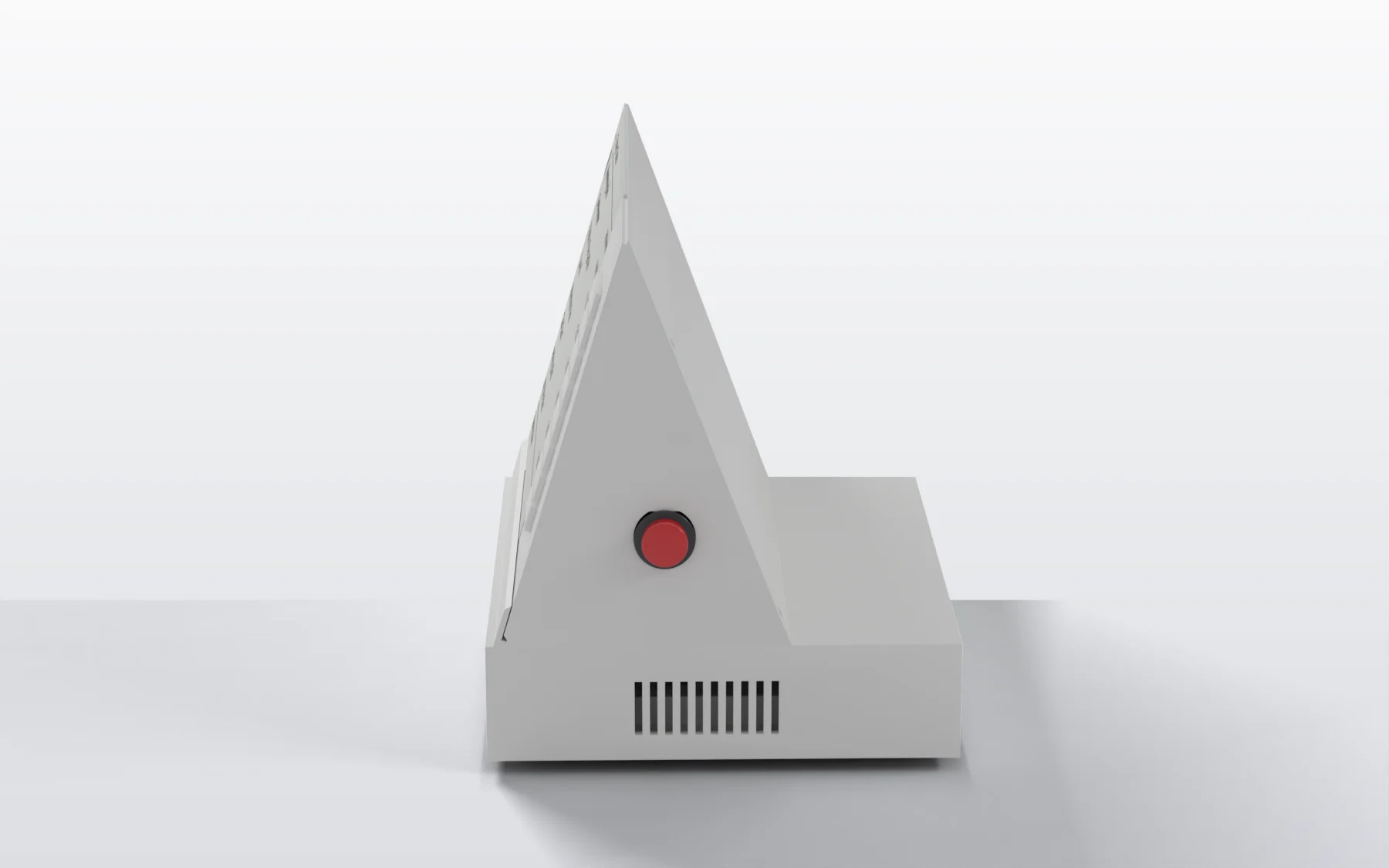
A separate red Call Carer button
Hold the red button for about one and a half seconds. JeanScreen calls and texts the contacts you saved to ask them to call back, and a light flashes on the button until one of them replies.
JeanScreen does not contact emergency services. In an emergency, call 911.
The Call Carer button needs the home Wi-Fi and the Cloud plan's calling. It is one safety net, not the only one. Some people with memory problems do not press a button when something is wrong. JeanScreen is not a medical alert service and is not monitored by a call centre. How Call Carer works and its limits.
Two plans
Prices are not final yet. We would rather tell you that than guess.
Local-only
No subscription
Device price: coming soon
The screen works by itself in the home. You change things by joining the device’s own Wi-Fi.
- Clock, date, temperature and humidity
- Up to 8 daily tasks with big paddle buttons
- Soft chime and strike-through when a task is done
- Beep reminders at the times you choose
- Carer setup page on the device’s own Wi-Fi
Cloud
from … / month
Price coming soon
Everything in Local-only, plus the carer portal: change things and keep watch from anywhere.
- Change settings from anywhere, on your phone
- Push alerts on your phone
- Call Carer button that calls and texts your contacts
- Spoken reminders, and a call if a task is missed
- Daily report, device-offline and room-too-hot/cold alerts
- Calendar and news line on the screen, messages from family
- Several devices on one account
- Automatic updates
Cloud plan only. Currently one trial per device. Plans and prices may change before launch. What works without a subscription.
For care homes
Looking after several residents? One account can hold many devices. When a resident moves on, rename the device, clear the settings, and set it up for the next person. If a device changes hands for good, a new-owner reset lets a different account take it over.
If you run a home or a service and want to talk, email us.
What we do not offer (yet)
- Cellular connection. It needs home Wi-Fi.
- A microphone or two-way audio. There is none.
- 24/7 monitoring by a call centre.
What we can honestly say
No one has proven that a device like this improves memory or keeps people safe. Careful reviews found very little good-quality testing of memory-support gadgets. What we can say is that several of its ingredients are well supported: large, high-contrast writing; spoken reminders (one small study found them more useful than beeps); and involving family from a distance.
So we treat JeanScreen as something to try gently and adjust, with the resident's agreement, and not as something that is guaranteed to work. We have no testimonials or statistics to show you, and we will not invent any.
Common questions
Does the person living with it need a smartphone or to know any technology?
No. They only see the screen and press the big buttons. All the setting up is done by you, the carer.
Does it need the internet?
The tasks, buttons, clock, temperature and beep or chime reminders work on their own at home. Spoken reminders, calendar and news, messages from family, alerts, the Call Carer calls and texts, and updates need the home Wi-Fi. See what needs what.
What happens if the Wi-Fi goes down?
The screen carries on showing the time and tasks, and the buttons still work. Call Carer cannot call without Wi-Fi: the screen tells the person so.
Can it call an ambulance?
No. It calls and texts the family contacts you choose. It is not a medical alert service.
Does it work with cellular?
Not yet. A cellular option is only a possibility for the future. Today it uses home Wi-Fi.
Where does my information go?
Settings are kept on the device. With the Cloud plan a copy is also kept on the JeanScreen server so you can change things remotely. Read exactly what leaves the device.
When can I buy one?
Not yet. Add your email below and we will tell you when it is ready.
Tell me when it's ready
Leave your email and we will send you one message when JeanScreen is available. That is all.